Shopify Functions checkout is the new foundation for custom checkout logic in 2026. If you want to hide payment methods, rename shipping options, apply advanced discount rules, or validate carts without touching checkout.liquid, Shopify Functions is the system doing that work behind the scenes.
As someone who builds Shopify apps for a living, I have watched this shift happen in real stores, not just in docs. The big change is simple: custom checkout logic is now server-side, faster, safer, and much more structured. The good news is that you do not always need Rust, JavaScript, or a custom app to use it. For many merchants, a no-code Functions app gets you 80 to 90 percent of the way there.

What is Shopify Functions checkout?
Shopify Functions checkout refers to Shopify Functions that run during cart and checkout flows to control discounts, delivery options, payment methods, and cart validation. They execute on Shopify's infrastructure, not in your theme, which is why they are fast and reliable under load.
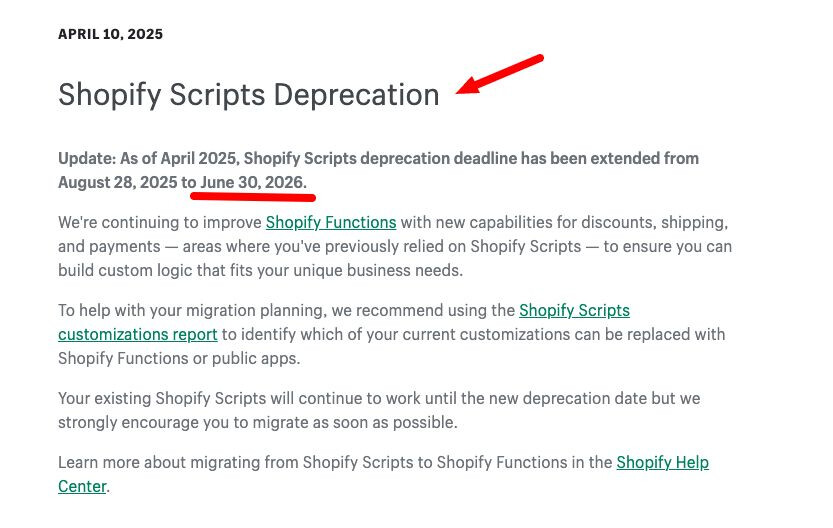
Shopify Functions are small pieces of backend logic compiled to WebAssembly and triggered at specific extension points. In plain English, they let Shopify stores apply custom business rules during checkout without relying on old Scripts or fragile theme hacks. If you are on Shopify Plus and migrating from Scripts, this is no longer optional because Shopify Scripts stop working on June 30, 2026.
That deadline matters a lot. I have seen stores put this off because their current setup still works today, but waiting creates risk. Once a store depends on custom discounts, shipping gating, or payment restrictions, a broken migration can affect revenue immediately.
How do Shopify Functions work at checkout?
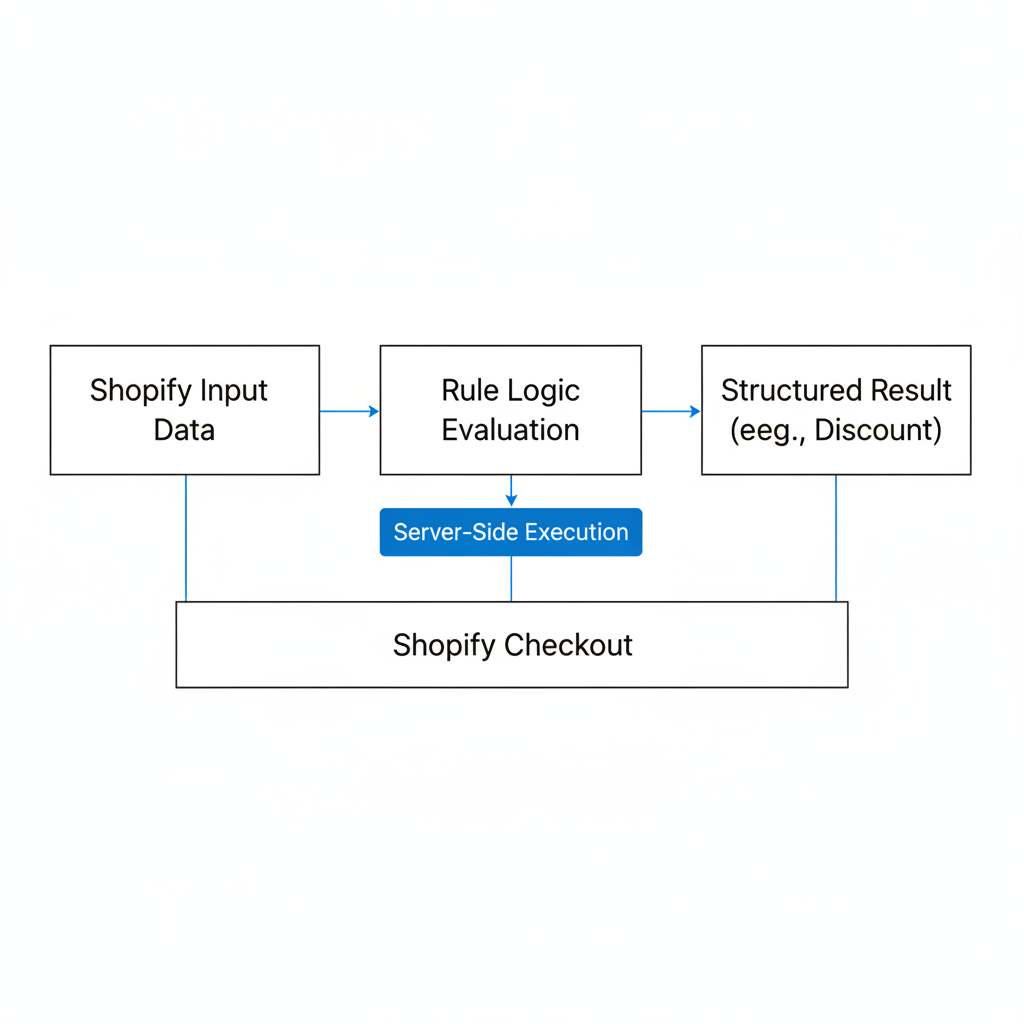
Shopify Functions work by taking Shopify-provided input data, evaluating your rule logic, and returning a structured result such as a hidden payment method or a discount application. They run server-side during checkout, so customers do not need to wait for browser scripts or external API calls.
This is one of the biggest architectural improvements Shopify has made. In the old world, merchants often tried to force checkout behavior through theme code, apps, or Scripts. In the new model, Shopify controls the runtime, the data contract, and the execution order, which makes the system much more predictable.
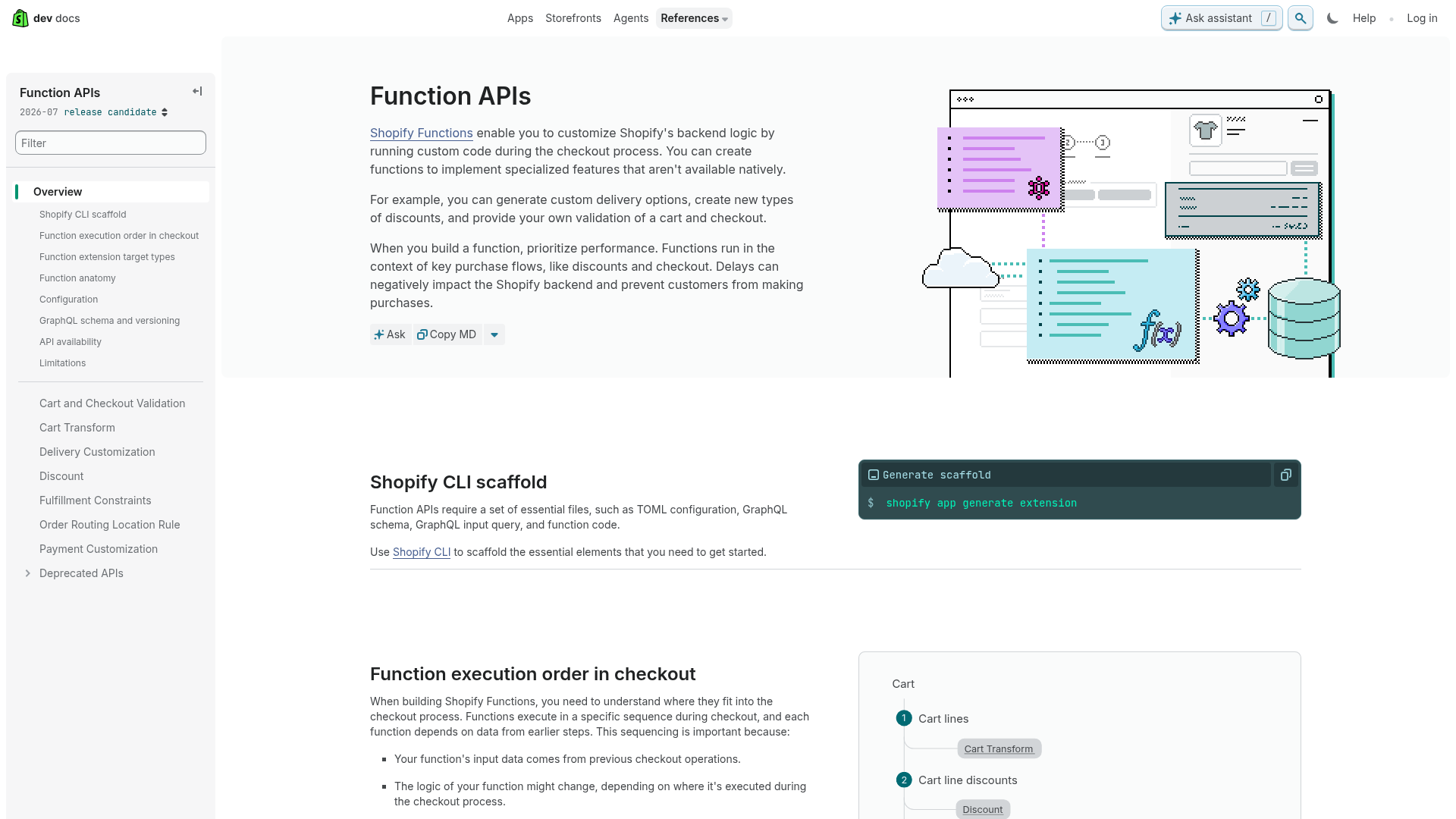
According to Shopify's Function APIs documentation, functions run in a specific sequence during commerce flows. That sequence matters because a cart validation function depends on the state created by earlier steps like cart transforms or discount calculations.
In practice, I explain it like this to merchants:
- Cart logic changes what is in the cart or whether the cart is valid
- Discount logic changes pricing and promotions
- Delivery logic changes shipping options shown to the buyer
- Payment logic changes which payment methods appear
If you want a broader view of how this fits into the modern checkout stack, my guide on Shopify checkout is a useful companion read.
What can you customize with Shopify Functions?
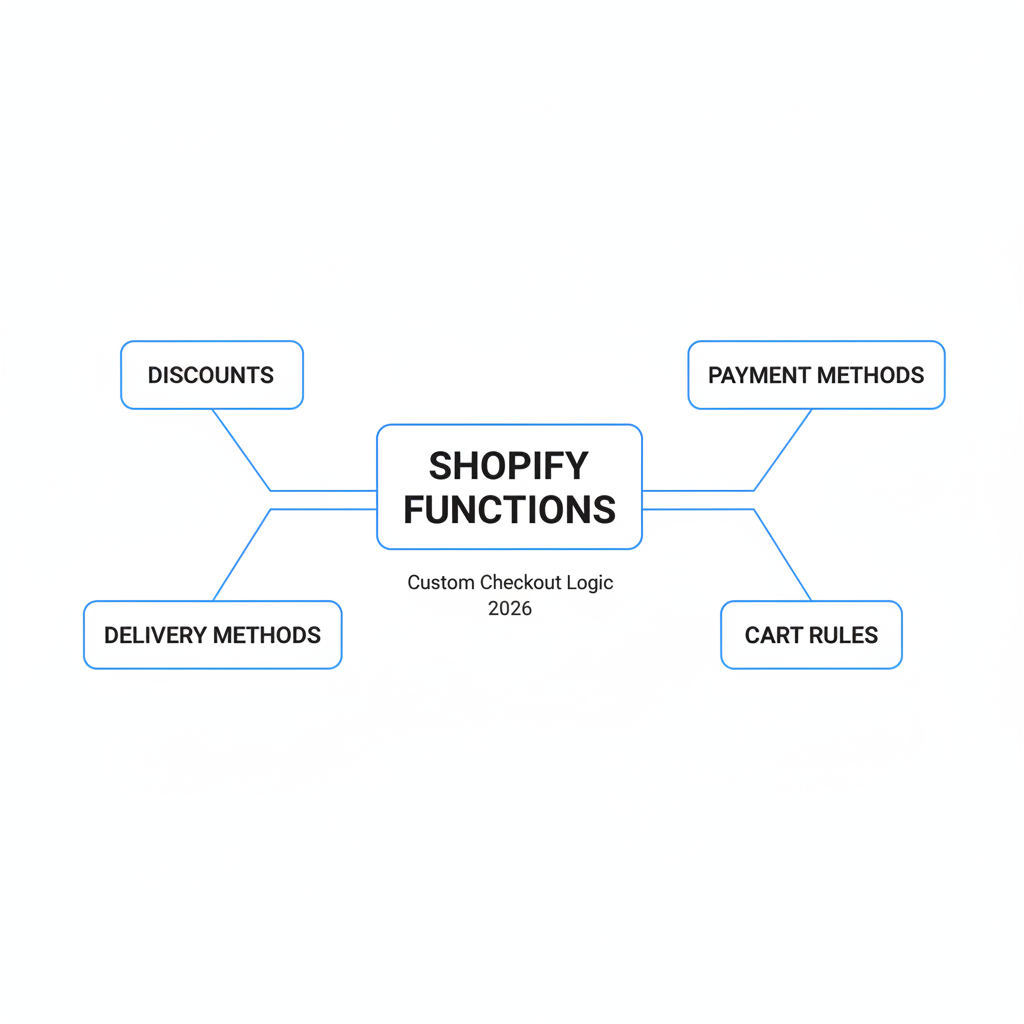
The main things you can customize with Shopify Functions are discounts, delivery methods, payment methods, and cart rules. These cover most real-world checkout customization requests I see from merchants.
That is why Functions matter so much in 2026. Most stores do not need a fully custom checkout. They need specific logic like hiding Cash on Delivery over a certain cart value, blocking PO boxes, applying tiered discounts, or stopping incompatible items from being purchased together.
| Function type | What it controls | Common examples |
|---|---|---|
| Discount | Product, order, and shipping discounts | BOGO, tiered pricing, free shipping over $75 |
| Delivery | Rename, hide, or reorder shipping methods | Hide express for hazmat items, block PO boxes |
| Payment | Rename, hide, or reorder payment methods | Hide COD over $200, hide bank deposit for international orders |
| Cart | Validation and cart transformation rules | Minimum quantity checks, bundle logic, incompatible item blocking |
In my experience building Shopify apps, payment and delivery customizations are usually the fastest wins because they are easy to understand and easy to test. Discount logic can be more valuable, but it also gets complex faster because promotions overlap with other apps, native discounts, and merchant expectations.
Do you need to code Shopify Functions yourself?
No, you do not always need to code Shopify Functions yourself. In 2026, no-code apps can handle most standard checkout logic, especially payment, delivery, validation, and common discount rules.
This is the biggest misconception I see. Merchants read Shopify dev docs, see WebAssembly and CLI references, and assume Functions are developer-only. That is true for custom builds, but not for common operational logic.
If your rule can be written as an if-this-then-that condition, there is a good chance a no-code Functions app can do it. Examples include:
- Hide Cash on Delivery if cart total is above $200
- Hide local delivery for products tagged fragile
- Rename shipping methods to clearer labels
- Block checkout if a required cart attribute is missing
- Apply a discount when a customer tag matches wholesale
Where no-code starts to break down is when the logic is highly custom, depends on unusual data structures, or needs a custom app architecture. That is when I would reach for Shopify CLI and build a dedicated Function extension.
What are the best no-code apps for Shopify Functions checkout?
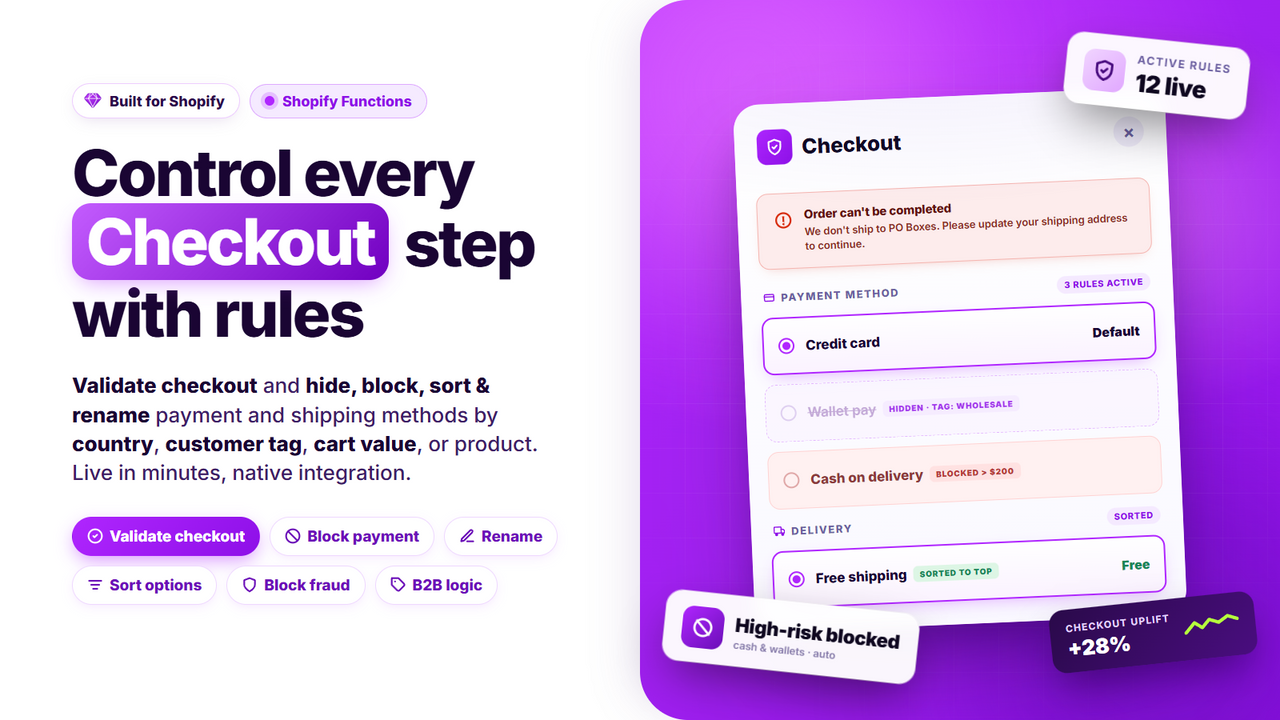
The best no-code apps for Shopify Functions checkout in 2026 are Checkout Logic and Checkout Maxx for most merchants. They cover the most common payment, delivery, cart, and discount rules without requiring custom development.
I am not saying these replace custom development in every case. I am saying they are the smartest starting point if you want to move quickly, validate logic, and avoid paying for a custom build too early.
| App | Best for | Strengths | App Store |
|---|---|---|---|
| Checkout Logic | Most merchants needing flexible rule-based checkout logic | Conditions-based rules, app blocks, example library, fast setup | View app |
| Checkout Maxx | Enterprise-focused stores with advanced checkout rules | Payment and delivery controls, validation, strong support | View app |
Checkout Logic is usually my first recommendation for merchants who want a broad toolkit and a faster learning curve. The app is built around conditions and actions, which mirrors how most merchants already think about checkout rules.
Checkout Maxx is a strong option if you need a more enterprise-style setup and hands-on support. For stores with more operational constraints, especially around shipping restrictions and payment visibility, that can be a better fit.
There is also a growing category of AI-assisted tools like SupaEasy discussed by Eyeful Media, where you describe the desired rule in plain English and the app generates the Function logic for you. I think that model is promising, especially for Scripts migration, but I still recommend careful testing before publishing anything to a live checkout.
How do I set up a no-code Shopify Functions checkout rule?
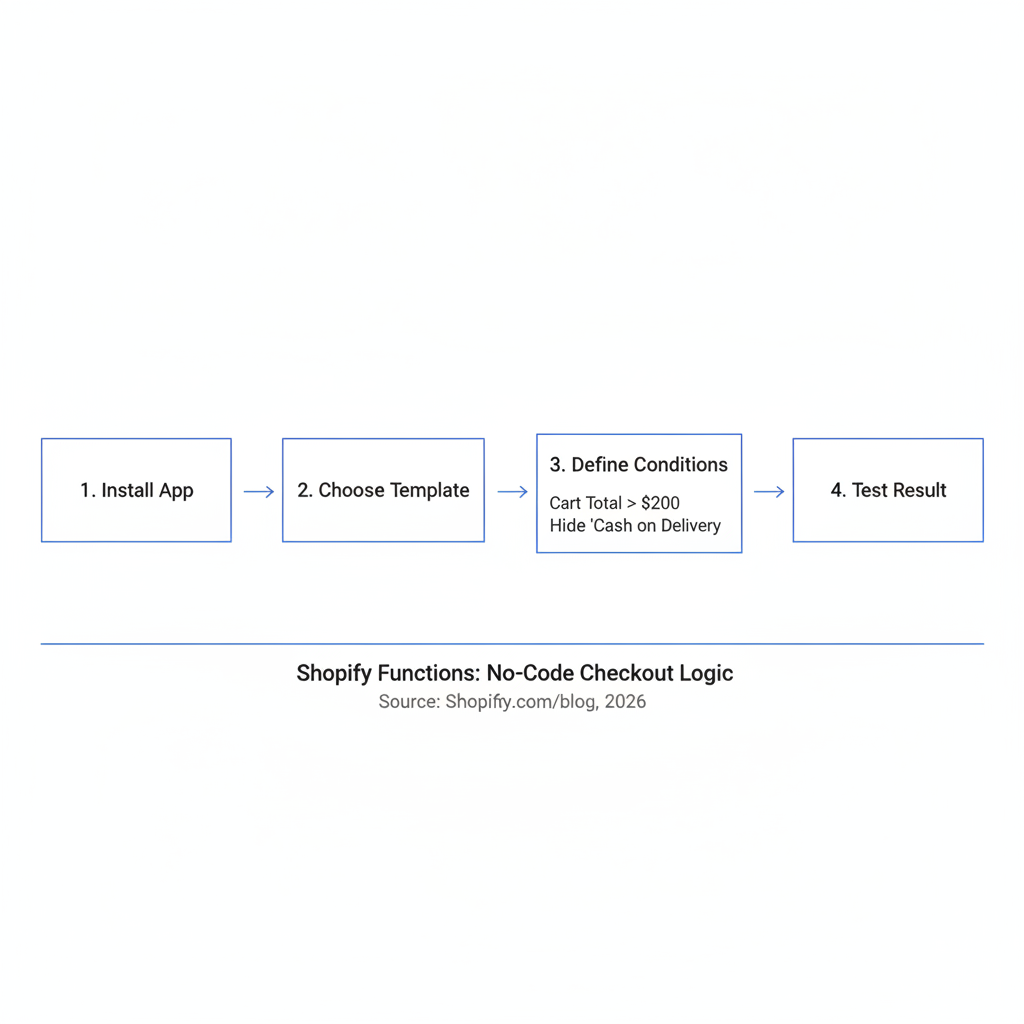
You can set up a no-code Shopify Functions checkout rule by installing a Functions-compatible app, choosing a rule template, defining your conditions, and testing the result in a development or preview environment. The simplest example is hiding a payment method based on cart total.
Here is the exact workflow I would use for a common rule like hide Cash on Delivery when cart total is over $200.
- Install Checkout Logic or Checkout Maxx.
- Open the app and choose a payment customization rule.
- Set the condition: cart total greater than $200.
- Choose the action: hide payment method Cash on Delivery.
- Save the rule and test it in a dev store or preview checkout.
- Verify behavior with edge cases such as discounts applied, multiple currencies, and draft orders if relevant.
- Publish the rule to live checkout.
This type of rule is exactly why Functions are so useful. It runs on Shopify's backend, it is compatible with Shop Pay, and it does not depend on front-end hacks. That means fewer odd checkout bugs and fewer support tickets.
If your goal is checkout conversion rather than logic alone, you should also read my guides on optimizing Shopify checkout and reducing abandoned carts. Logic should support conversion, not fight it.
What are the most useful Shopify Functions checkout examples?
The most useful Shopify Functions checkout examples are the ones tied directly to fulfillment risk, payment risk, and promotional margin. In real stores, that usually means payment filtering, shipping gating, cart validation, and tiered discounts.
How do I hide payment methods with Shopify Functions?
You hide payment methods with a payment customization function or a no-code app built on top of it. The most common use cases are hiding risky or operationally expensive methods based on cart value, country, or customer segment.
Examples I see often include hiding COD for orders over $200, hiding manual bank transfer for international orders, or showing invoice payment only to tagged B2B customers. These are simple changes, but they reduce failed orders and support workload.
How do I customize delivery options with Shopify Functions?
You customize delivery options with a delivery customization function that can hide, rename, or reorder shipping methods. This is especially useful when carrier-calculated rates are technically correct but confusing for customers.
For example, a merchant might rename "Standard" to "Standard Shipping - 3 to 5 business days" or hide express shipping for oversized items. I have seen this improve checkout clarity immediately because buyers stop second-guessing what each option means.
How do I validate carts with Shopify Functions?
You validate carts with cart-related Functions that check whether the current cart meets your business rules before checkout continues. This is useful for enforcing minimums, preventing incompatible product combinations, or requiring certain conditions.
A good example is blocking checkout when a wholesale customer has not met a minimum order quantity. Another is preventing a hazardous product from being purchased with a restricted accessory. These rules are much more reliable server-side than trying to patch them into the cart page with JavaScript.
How do I create custom discounts with Shopify Functions?
You create custom discounts with discount functions that evaluate cart data and apply pricing changes based on your logic. This is where Shopify Functions can drive real revenue, but it is also where testing matters most.
Examples include BOGO offers, spend thresholds, quantity breaks, and customer-tagged pricing. If you are comparing discount or upsell approaches, my posts on checkout apps and checkout customization apps for Shopify Plus can help frame what should happen in checkout versus elsewhere in the funnel.
How do I migrate from Shopify Scripts to Shopify Functions in 2026?
You migrate from Shopify Scripts to Shopify Functions by auditing existing scripts, mapping each script to the correct Function type, rebuilding the logic in a no-code app or custom app, and testing before the June 30, 2026 cutoff. The key is to start early because some script logic needs redesign, not just translation.
This is the part merchants underestimate. A script might say "shipping rule," but the actual business logic may touch discounts, delivery names, customer tags, and product conditions all at once. That means the migration is partly technical and partly operational.
- Audit your current Scripts and checkout customizations.
- Use Shopify's extensibility reporting in admin where available to identify replacement paths.
- Map each rule to discount, delivery, payment, or cart logic.
- Decide whether a no-code app can handle it or whether you need custom development.
- Rebuild the rule in a dev store.
- Test edge cases such as discount stacking, customer tags, local delivery, and international addresses.
- Publish carefully and document the new setup.
Based on migration guides from sources like Shopify Help and industry writeups such as Stormy.ai, a large percentage of common script use cases can be moved without a fully custom build. I think that is true, but only if the original logic was well defined in the first place.
One more warning from experience: back up your rules and document your expected outcomes before replacing anything. Merchants often remember what a script was meant to do, but not what it actually did in edge cases.
What are the limits of no-code Shopify Functions apps?
No-code Shopify Functions apps are excellent for structured checkout rules, but they are limited when your logic is deeply custom, depends on unsupported data, or requires a tailored app workflow. If your team keeps saying "it depends on three other systems," you may be outside no-code territory.
One important technical constraint is that Functions do not work like an open server environment. They use Shopify-provided input data and, in general, do not make arbitrary external API calls during execution. That is by design because speed and reliability matter more than flexibility inside checkout.
Here are the biggest limitations I run into:
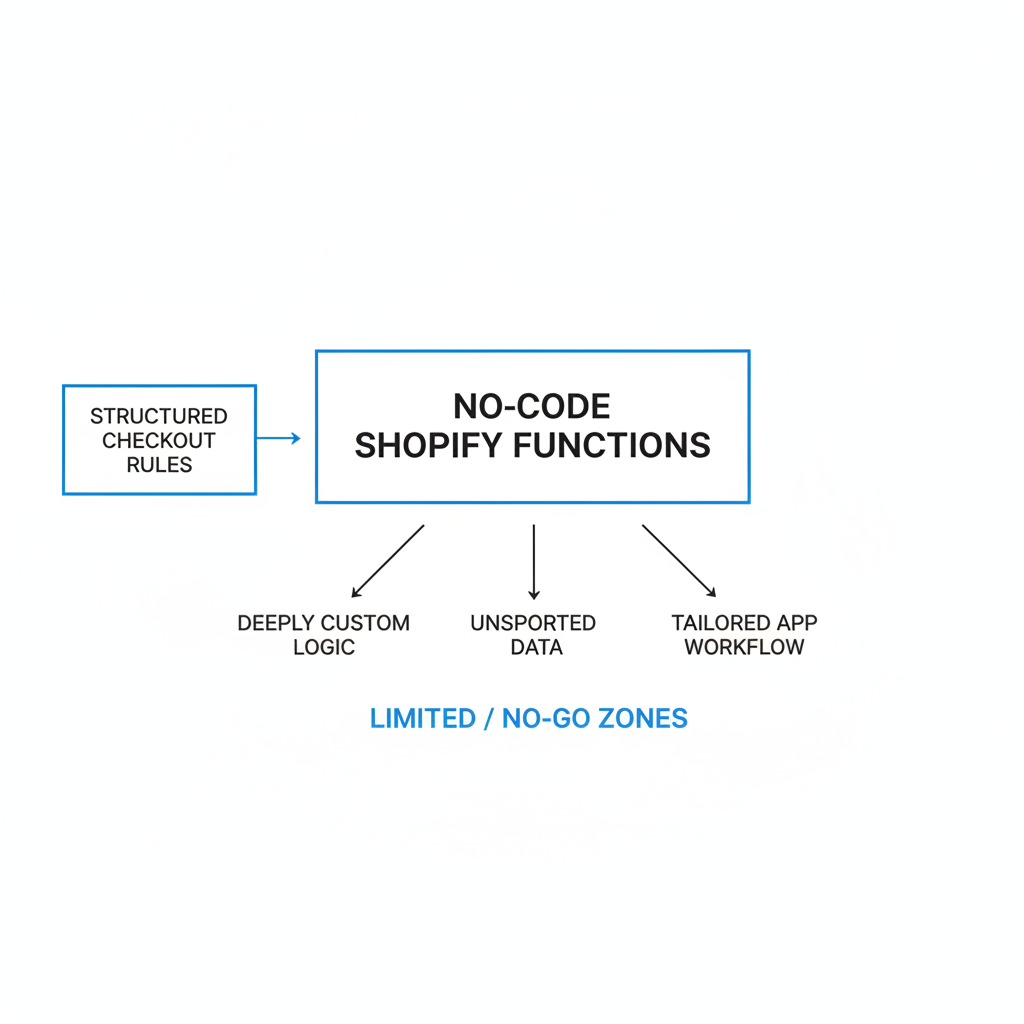
- Complex cross-system logic that depends on live external data
- Highly custom discount math with unusual stacking requirements
- Merchant UX limitations in some app rule builders
- Debugging edge cases when multiple apps affect the same checkout flow
- Plan and extensibility constraints for certain checkout UI customizations
When that happens, I usually recommend a phased approach: prototype with no-code if possible, confirm the business logic works, then invest in a custom Function if needed. That reduces project risk and stops teams from overbuilding too early.
Is Shopify Functions checkout worth it for small stores?
Yes, Shopify Functions checkout is worth it for small stores if you have a real operational or conversion problem to solve. It is not just for enterprise merchants anymore, and that is one of the most important platform shifts of the last few years.
Smaller stores benefit most when a rule directly improves margin or reduces support overhead. Hiding the wrong payment method, clarifying delivery choices, or applying smarter discounts can have an outsized impact when your order volume is still growing.
I would not install a Functions-based app just because it sounds advanced. I would install one when you can point to a clear problem like:
- Too many risky COD orders
- Confusing shipping options causing drop-off
- Manual support work around invalid cart combinations
- Promotions that native Shopify discounts cannot express cleanly
If that sounds familiar, you are exactly the kind of merchant who should test this.
What is my recommendation for using Shopify Functions checkout in 2026?
My recommendation is to start with a no-code Functions app, test one high-impact rule, and expand only after you prove value. For most merchants, the best first use case is payment or delivery logic because it is easy to verify and low risk compared with complex discounting.
In my experience building Shopify apps, merchants get the best results when they treat checkout logic like product optimization, not a one-time technical project. Start with one rule, measure the impact, and document why it exists. Then add the next rule only if it improves conversion, margin, or operations.
If you are migrating from Scripts, do not wait until the last minute. If you are new to Functions, do not assume you need a developer for everything. The sweet spot in 2026 is clear: use no-code for common checkout logic, use custom development for edge cases, and test everything before going live.
For further reading, I recommend Shopify's official Functions API docs, the Scripts to Functions transition guide, and practical app-first resources like Checkout Logic and Checkout Maxx.